 Packr
PackrThe packing list that thinks for you.
Tell Packr where you are headed and for how long. It builds a checklist scaled to your trip, checks the forecast, and keeps the whole itinerary in one place.

One-Time Purchase On iPhone & iPad · No Subscription


A list that scales to the trip.
A weekend and a two-week trip do not need the same number of shirts, so Packr works out the quantities from your dates. Flying adds an on-plane kit you can actually reach from your seat. Check things off as they go in the bag.
- Scaled Quantities
- Grouped By Category
- On Plane Kit
Packed for the weather you are actually getting.
Packr pulls the forecast for your dates and destination, puts the five days across the top of the trip, and nudges the list accordingly. A hot week asks for sunscreen; a wet one asks for the rain jacket.
- Five-Day Forecast
- Highs And Lows
- Weather Nudges
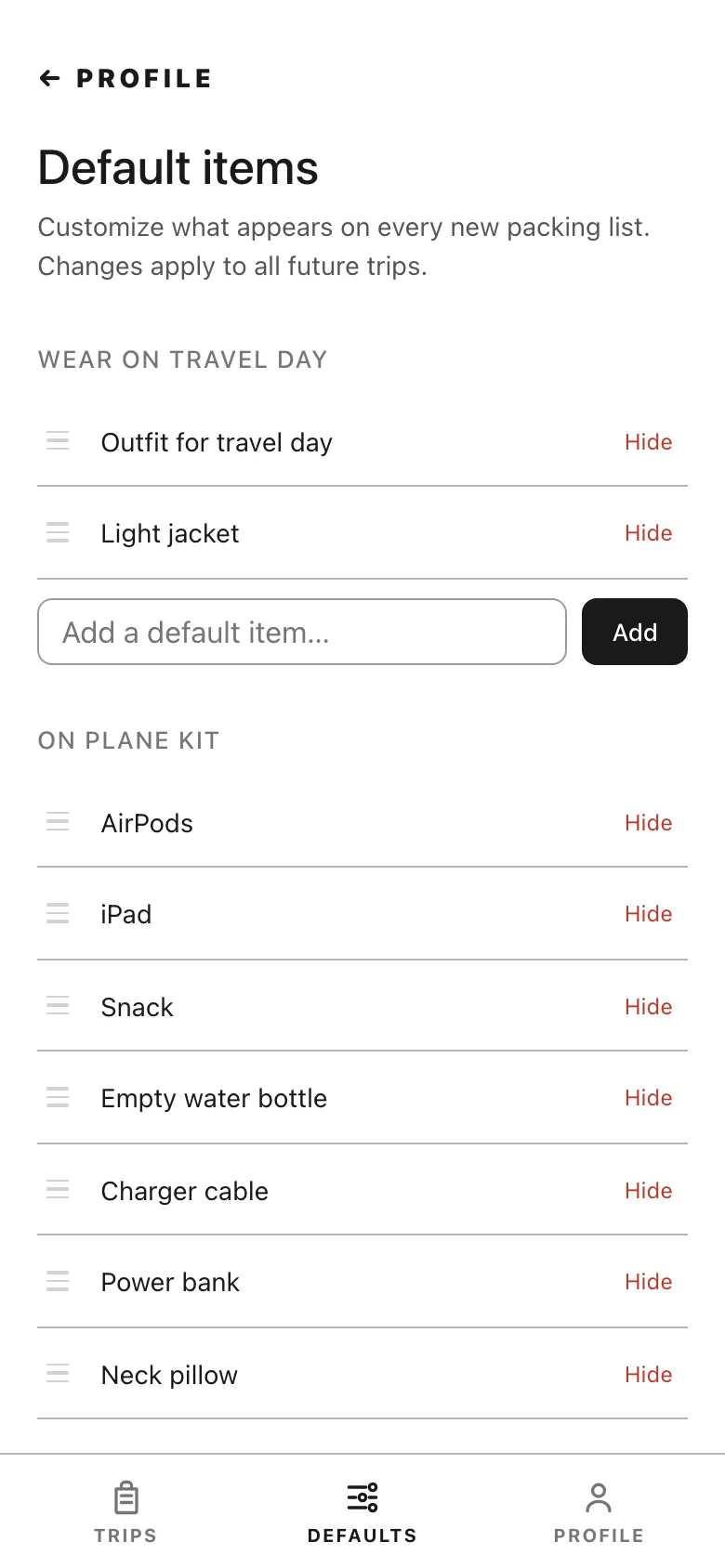
Tune it once. Every trip starts there.
Your master list is the one you actually pack from, so edit it once and every future trip is built from it. Save add-ons for the trips that need them, like a gym kit or camera gear, and drop them in when they apply.
- Master List
- Reusable Add-Ons
- Per-Trip Edits
Every trip, still where you left it.
Trips stay saved, so last summer's beach list is the head start on this one. Duplicate a trip you take often, archive the ones that are done, and share an itinerary with whoever is coming along.
- Saved Trips
- Duplicate
- Archive
- Share

Everything else you would otherwise forget.
Paste A Confirmation
Drop in a flight or hotel email and Packr pulls the details into the trip.
Import From A Photo
Snap a camp or school packing list and it becomes a trip.
Share A Trip
Send the itinerary and they get their own list, built from their defaults.
Driving Or Flying
The list changes with how you are getting there, not just how long.
Trip Notes
Hotel info and confirmation numbers ride along with the list.
Backpacking Gear
Track your gear closet and its weights for the trips that need it.
Sync Everywhere
The same trip on your phone, your laptop, and the iPad.
Yours Only
Google or Apple sign-in, no ads, and delete the account whenever.
Nothing forgotten, and nothing you had to think about twice.
Packr
Packr
Plan a trip
Start your first packing list.
Plan your trip
Tell us where you're headed and we'll build your list.
Got a camp or school packing list? Snap a photo and we'll build the trip for you.
Profile
Default items
Customize what appears on every new packing list. Changes apply to all future trips.
Packr